Basic HTML Version


TEST/DIAGNOSTIC PROCEDURES (Continued)
SYSTEM-11 SOUND SECTION TEST.
Press the Sound Diagnostic Switch (SW 1) on the CPU Board. Listen for the sound. The sound repeats,
until the operator switches the
GRAND LIZARD
game Off and On.
NO SOUND DURING
THIS TEST
(but sound can be heard during the Diagnostic Tests).
Check the sound-select inputs (pins 2 through 9 of U9) to see if they pulse during Sound Test 01. Also,
check the -12 V supply voltage on the CPU Board. If this voltage is low (or AC ripple seems too high),
perform the following checks:
1.
The gray and gray-green transformer secondary wires for 19.4 VAC.
2.
The CPU Board filter capacitor C26 for -12 VDC.
3.
The filter capacitor C26 for excessive AC ripple (over O.7SVAC).
If the previous checks did not isolate the problem, turn the Volume Control for maximum output. Momentarily
touch a powered-up AC soldering pencil on the center tap of the Volume Control.
©ffii.lUlU'D©1Nl
DO NOT use a soldering iron over
40
watts. Note also that cordless soldering
irons will NOT work for this test.
Hearing a low hum indicates that the power amplifier (U1, TDA2002), the Volume Control, and the speaker are
operating satisfactorily.
Not hearing a hum requires repeating the test with the Volume Control turned part
way down, to determine whether the Volume Control is faulty.
MAINTENANCE INFORMATION.
Figure
2
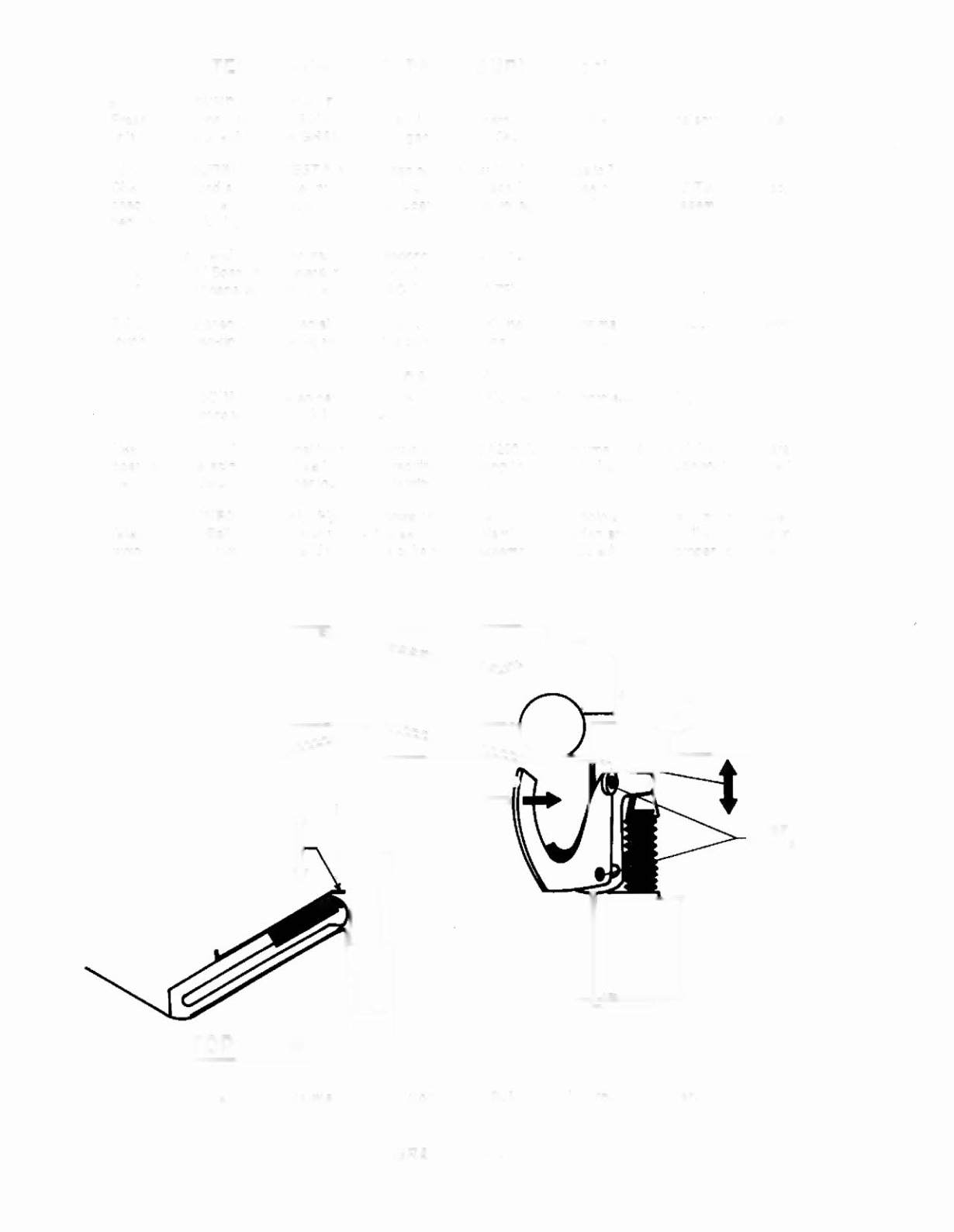
shows the two main lubrication points of the Ball Trough Feeder
(also the Multi-Ball Ejector, which utilizes the same mechanism).
The shaded arrows show the directions in
which the Ball Trough Feeder and other parts of its related assemblies can be adjusted for proper operation.
TOP VIEW
LUBE
POINTS
Figure 2. Adjustments and Lubrication Points, Ball Trough Feeder.
GRAND LIZARD 28